
The Ultimate AWS Cloud Engineer Roadmap : From Zero to Hired
Last Updated: February 2026
A Step-by-Step Guide to Mastering Linux, AWS, Terraform, and DevOps Skills.
Introduction: Why Cloud Engineering in ?
If you are reading this, you probably know that “The Cloud” is no longer the future—it is the present. By 2026, companies aren’t just moving to the cloud; they are building complex, automated systems on it.
But the problem for beginners is Information Overload. Should you learn Python first? Or Docker? What about Kubernetes?
As a Technical Trainer, I have built this Roadmap to cut through the noise. This is not just a list of tools; it is a structured path to building a high-paying career in AWS.
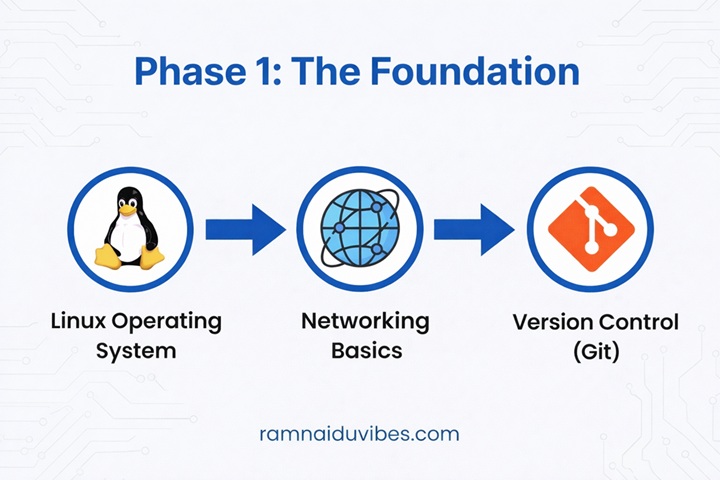
Phase 1: The Foundation (Don't Skip This!)
- Linux Operating System The cloud runs on Linux. You cannot escape the terminal.
- What to learn:
- File Management: ls, cd, mkdir, rm, cp.
- Permissions: chmod, chown.
- Text Editors: vim or nano (You will need these to edit config files).
- Processes: ps, top, kill.
- Networking Basics You cannot build a secure cloud network if you don’t understand IP addresses.
- What to learn:
- IP Addresses: Public vs. Private IPs.
- CIDR Notation: Understanding what /24 or /16
- Ports & Protocols: HTTP (80), HTTPS (443), SSH (22).
- DNS: How com translates to an IP address.
- Version Control (Git) Infrastructure is now written as code. You need a way to save and track changes.
- What to learn: git init, git add, git commit, git push.
Phase 2: The Core AWS Services (The "Big 4")
Now, you create your AWS Free Tier account. Focus on these four pillars first.
- IAM (Identity & Access Management)
- Concept: Who are you, and what are you allowed to do?
- Task: Create a user with “Admin” access and enable Multi-Factor Authentication (MFA). Never use the “Root Account” for daily work.
- Concept: Renting virtual computers (Servers).
- Task: Launch a Linux server, SSH into it, and install a simple Apache web server.
- S3 (Simple Storage Service)
- Concept: Infinite storage for files (images, logs, videos).
- Task: Upload an html file and turn on “Static Website Hosting” to see your page live on the internet.
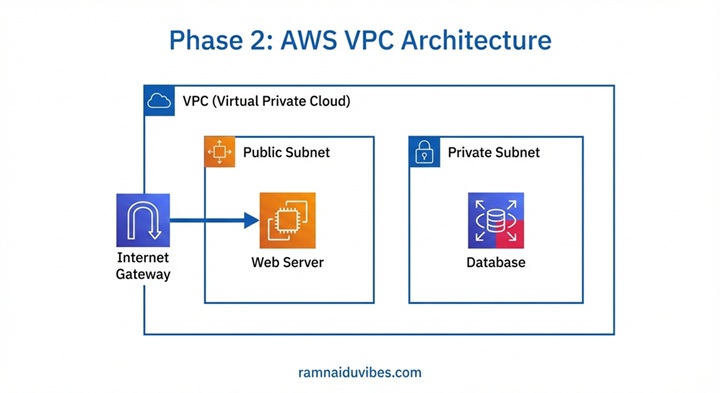
- VPC (Virtual Private Cloud)
- Concept: Your private network in the cloud.
- Task: This is the hardest part for beginners. Learn to create a VPC, Subnets (Public/Private), Internet Gateway, and Route Tables.
Phase 3: Infrastructure as Code (IaC)
in 2026,we on’t click buttons manually. Imagine you need to launch 50 servers. Will you click “Create” 50 times? No.
The Tool: Terraform Terraform allows you to write a text file describing your infrastructure, and it builds it for you automatically.
- Why it matters: It is the industry standard for “Cloud Automation.”
Goal: Write a Terraform script to launch the EC2 instance you created manually in Phase 2.
Phase 4: Containers & DevOps (The High-Paying Skills)
This is what separates a “Junior Admin” from a “Cloud Engineer.”
- Docker (Containerization)
- Problem: “It works on my machine, but breaks on the server.”
- Solution: Docker packages your code and all its settings into a “Container” that runs exactly the same everywhere.
- Kubernetes (Orchestration)
- Problem: Managing 100 Docker containers manually is impossible.
- Solution: Kubernetes (or AWS EKS) manages them for you—restarting them if they crash and scaling them up if traffic increases.
- CI/CD Pipelines
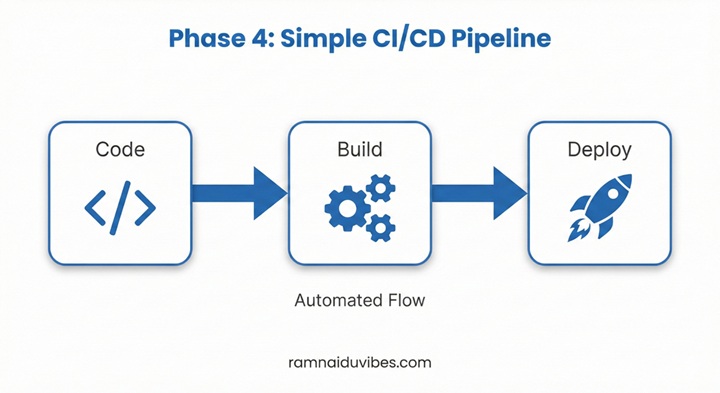
- Tool: GitHub Actions or AWS CodePipeline.
Concept: Automating the software release. When a developer saves code, the pipeline automatically tests it and deploys it to the server.
Phase 5: Programming (Python)
You don’t need to be a full-stack developer, but you must know how to script.
Why Python? It is the language of automation. AWS has a Python library called Boto3.
- Real-World Use Case: Write a Python script that automatically stops all your “Dev” servers at 6 PM to save money and starts them again at 9 AM.
Summary Checklist: Your Path to Success
- ✅ Month 1: Linux & Networking Basics.
- ✅ Month 2: AWS Core (EC2, S3, VPC, IAM).
- ✅ Month 3: Terraform & Infrastructure as Code.
- ✅ Month 4: Docker & Basic CI/CD.
- ✅ Month 5: Build Projects & Apply for Jobs.
Conclusion: Build, Don't Just Read
The biggest mistake beginners make is watching tutorials without doing the work. Your Next Step: Start with Phase 1. Install Linux (or use a Virtual Machine) and learn the commands.
In our upcoming blogs, we will dive deep into deploying your first website on AWS. Stay tuned!